Documents & Procedures - Getting Started
This document gives an introduction into the Documents & Procedures module of the ZeeBORN system.
Starting the Module
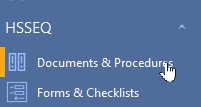
The module can be found in the navigation bar in section HSSEQ.
Usage
On board, the module works in a read-only mode. All available documents can be accessed but can't be changed, archived or deleted.
There are two types of documents:
- Documents created by using the integrated document editor. Those documents can be opened directly and will be shown in screen like a normal web page.
- File Attachments will first be shown in a short overview providing details about file type, file size and creation date. File attachments can be opened by clicking on the file name. Depending on the file type, an external will be started for opening the selected file. If you get an error message due to missing suitable applications for viewing this file type, please contact your administrator for getting the required 3rd party software installed on your PC.
Finding Content
Via the menu More Actions > Search you can start the search function.
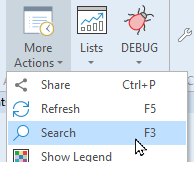
Here you can enter a word or a part of a word you want to look up in the available documentation. After starting the search process, all relevant documents will be shown in the result list and can be viewed by selecting it in the list and clicking the Go to ... button - this will navigate to the related part in the documentation structure.
Finding Changes
If you are already familiar with the content of the documentation, you may only want to get an overview of recent changes that have been added recently.
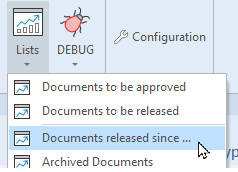
For getting a list of new and updated documents that have been changed since a defined date, you can you the function Lists > Documents released since .... By entering a start date, only documents added and changed after this date will be shown in a result list.
Other useful Documents
- Documents & Procedures Documentation Link