Audit and Inspect
One of our recent releases contains the module “Audit & Inspect”, which allows an interactive follow-up of any finding during a 3rd party inspection.
“Audit & Inspect” is combining all record keeping and communication collection plus allows the person in charge to assign due dates and responsibilities for corrective action, which is an essential quality aspect in today’s demanding shipping industry.
The module includes the following areas:
Audits
Inspection

Management of Change

Condition of Class

The module can be split in the 4 areas.
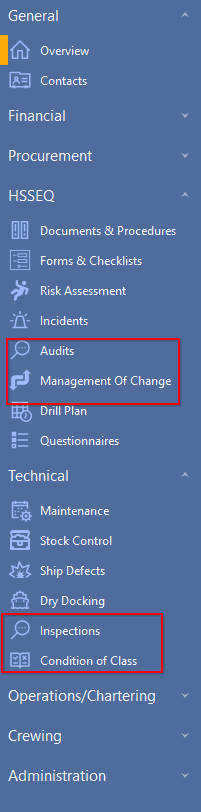
"Audits" and "Management of Change" will be shown in "HSSEQ" and "Inspection" and "Condition of Class" will be shown in "Technical".
If all 4 areas will be shown in one module the module can be found in "HSSEQ".
The processing of individual reports is basically the same.
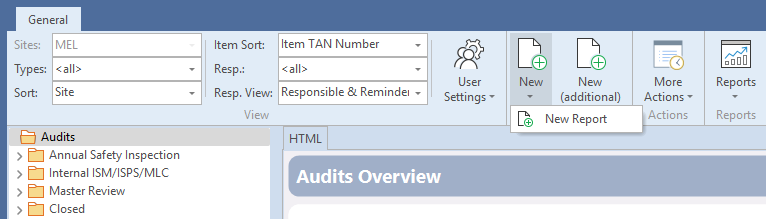
For reports, no unique Transaction number is needed at the moment but can be implemented.
Title of reports will be created as follows:
[auditdate]-[vessel]-[type]-[position]
or
[vessel]-[type]-[position]-[auditdate]
[vessel] - uses the three-letter or three-numbers abbreviation assigned to a vessel
[type] – uses the abbreviation or the full name of the audit type
[auditdate] – date the audit/inspection was conducted
[position] – port or position where the audit was conducted (e.g. at sea, remote, port)
Example