Reassessment
Risk Assessments do not have to be renewed by hand. The system can watch assessments that are currently valid and re-open them automatically when their next reassessment falls due, so that it lands at the vessel instead of being forgotten.
Two different numbers are involved, and keeping them apart is the whole point:
Switching the check on
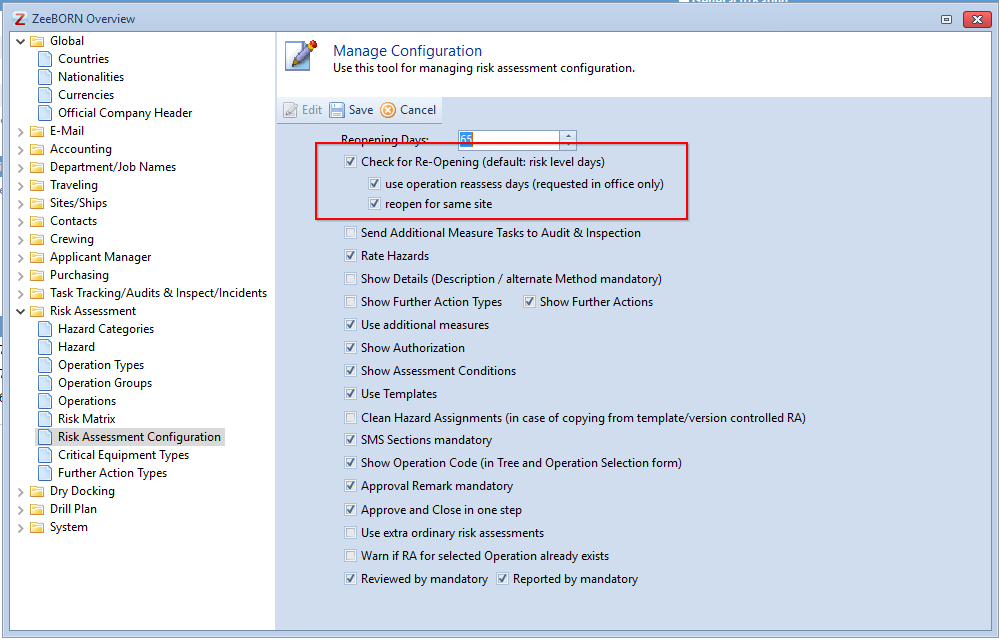
Go to Risk Assessment > Configuration > Risk Assessment Configuration.
Enter the lead time under Reopening Days. Without it the check refuses to run and asks for the days to be assigned first.
Storing the validity period per operation
If assessments should stay valid for different lengths of time depending on what is being assessed, the period is stored with the operation.
Go to Risk Assessment > Configuration > Operations, select the operation and enter the number of days under Reassess in days.
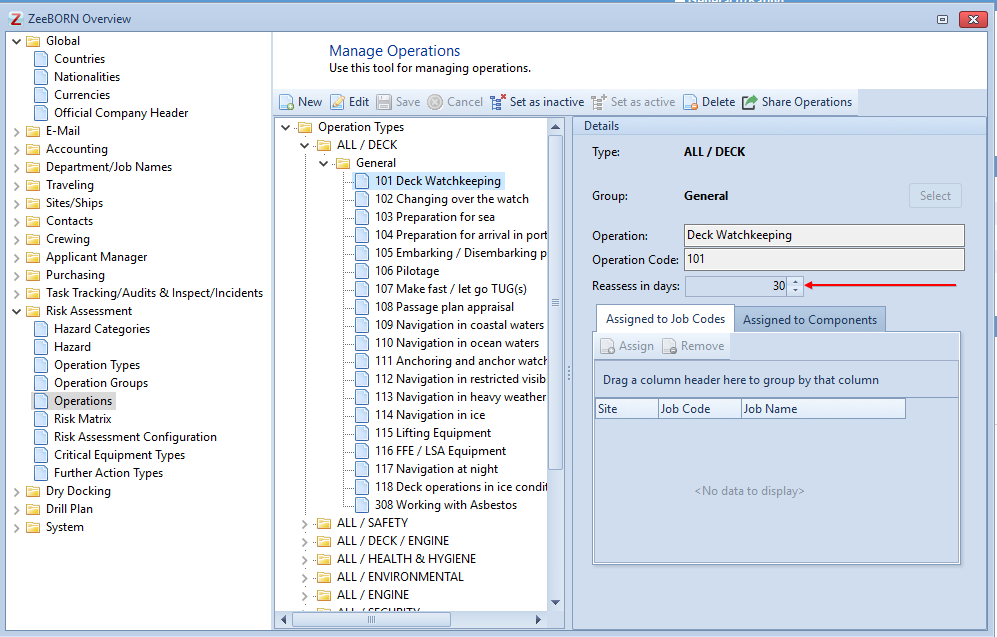
Left at zero, the operation has no period of its own and nothing is re-opened for it through this route.
Requesting the assessments
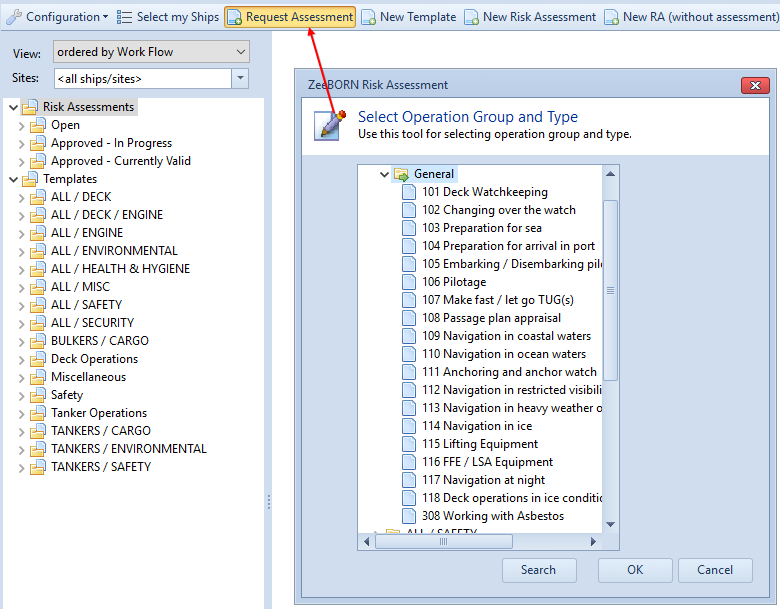
The rule only reaches assessments the office has requested. Click Request Assessment, choose the operation group and the operation, and confirm.
When the check happens
Once a requested assessment reaches Approved - Currently Valid, it takes part. The due date follows from the date it was assessed plus the validity period; when the lead time before that date is reached, the assessment is re-opened and is due at the vessel again.
The check can also be run at any time: Risk Assessment > More Actions > Check for Re-Opening. It lists what it found before anything is re-opened.
Worth knowing
- Extraordinary Risk Assessments never take part. They describe a one-off operation, so there is nothing to renew — see Extraordinary Risk Assessment.
- Assessments that are marked as not to be re-opened are skipped, whatever the periods say.