Change of email addresses
If you want to make changes or adjustments to existing email addresses, follow these steps:
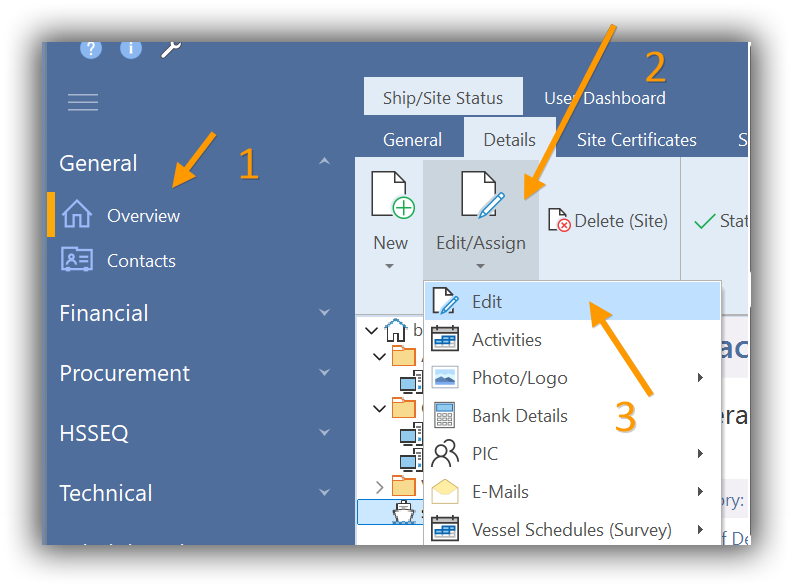
To do this, select the ship in the Overview (1) and switch to the “Details” Tab (2).
Then call up „Edit/Assign“->“Edit“ (3):
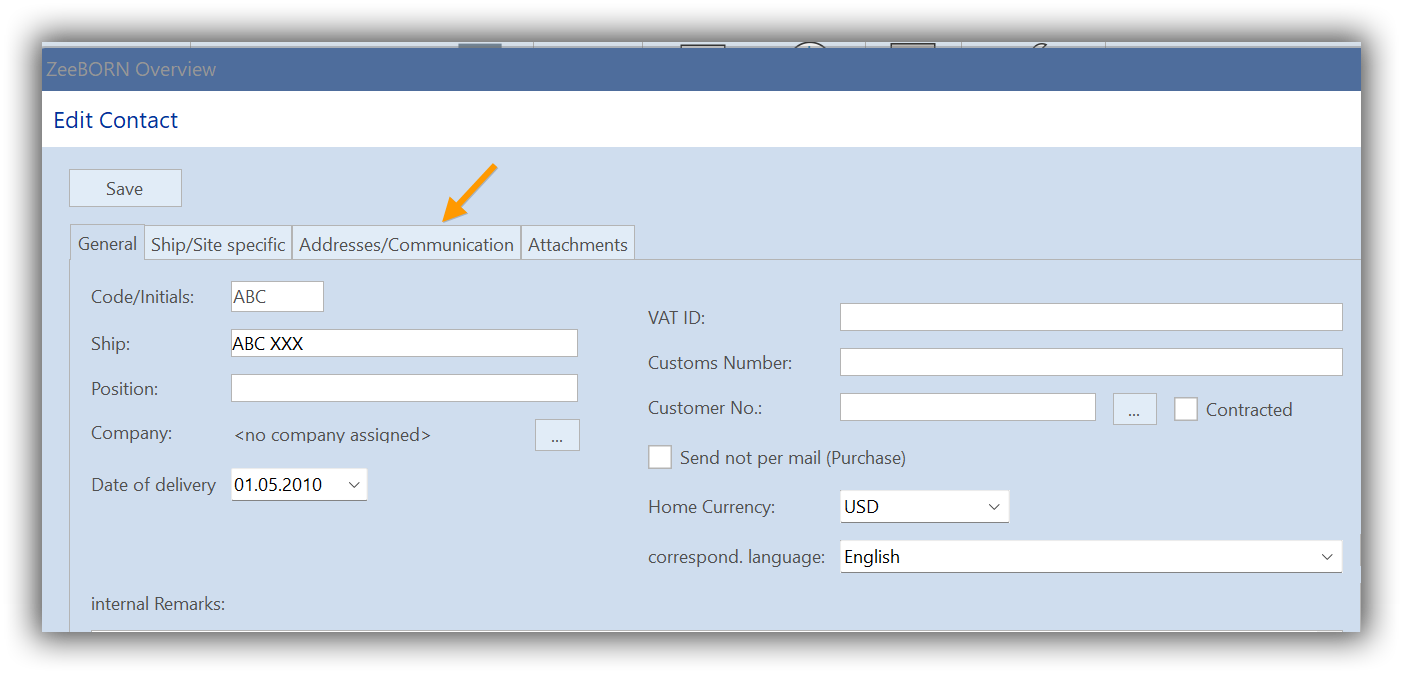
The form “Edit Contact” appears. Here, you go to the “Addresses/Communication” tab.
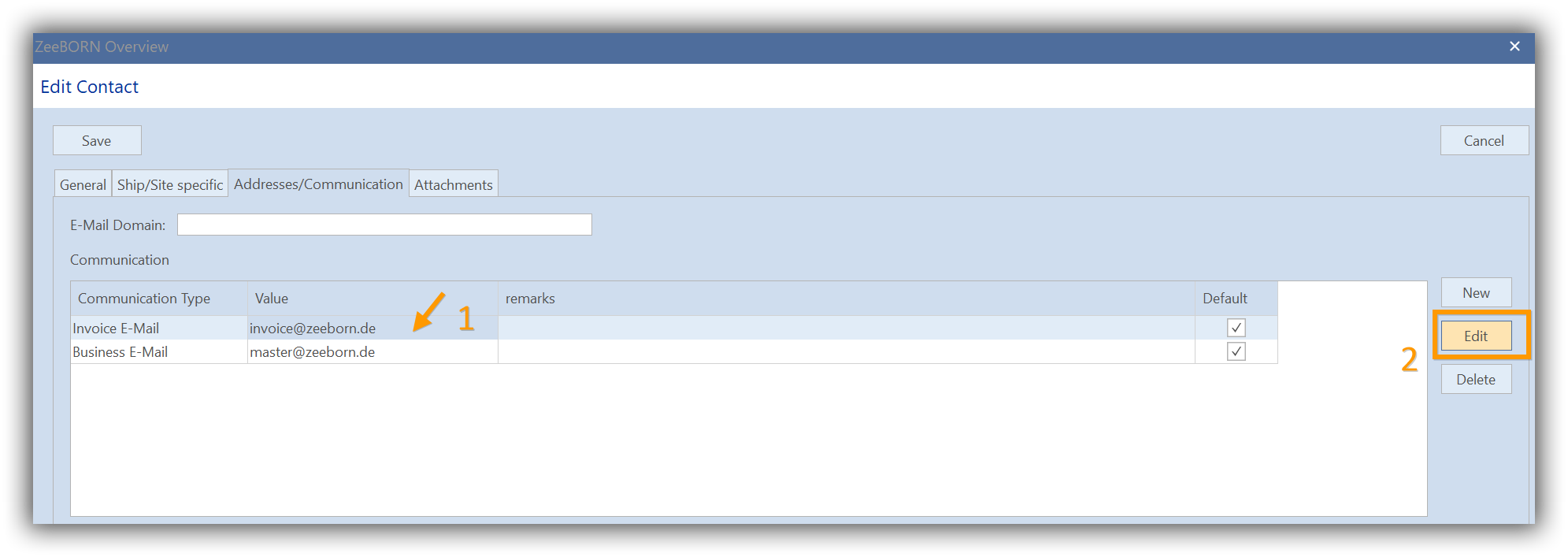
After clicking “Addresses/Communication” tab, select the corresponding email which you want to change (1). Clicking “Edit” (2) the “Edit” form opens.
Now you can make the required changes to the email address at “Value":
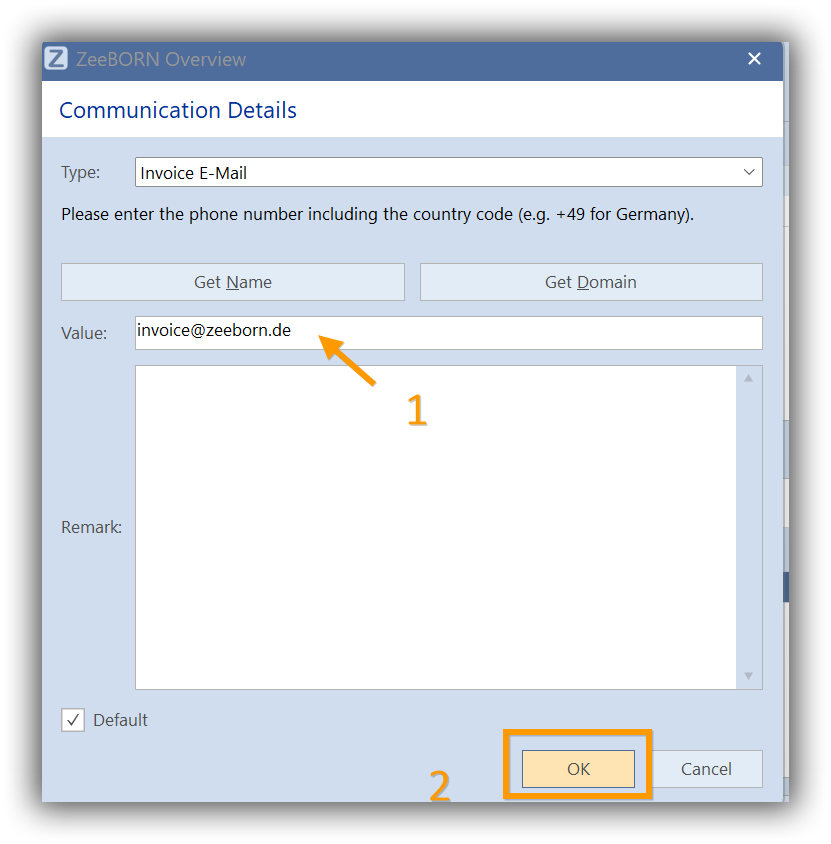
Confirm with “OK” and then confirm again with “Save” in the form below.