PMS - Getting Started
This document gives you a general introduction into the Planned Maintenance System within the ZeeBORN software. It concentrates on the basic features of the module and gives you access to related information resources.
Starting the PMS Module
The Planned Maintenance module can be started in the ZeeBORN software in the left navigation bar. The ?Planned Maintenancemodule can be found in theTechnical` section.
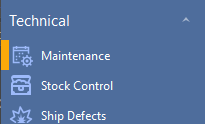
Please note: The module might not be available if you don't have the necessary user access rights.
Main Parts of the Module
Within the Planned Maintenance modules you will find the two sub-modules Components and Schedules.
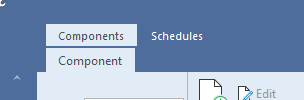
Components
In the Components modules you have access to all components on board accessible via a component tree on the left side of the window. Here you have access to components and component details like maintenance jobs, linked spare parts and maintenance reports. On board this part of the module is usually used for obtaining detailed information about specific components on board and the component's history.
Please visit Documentation - Machinery Components for a detailed overview of features and options.
Updating Component Counters
For the general usage of the counter list please visit Documentation - Counter List.
Schedules
The Schedules part of the module gives you access to an overview of all defined maintenance jobs for all components and allows you to report the execution of maintenance jobs.
The due dates shown in the overview for each maintenance job are calculated based on the date of the last execution of a job and a given interval. For counter-depending jobs that needs to be executed every x operation hours, it's important to keep the counter list of the system updated. Beside the counter values reported via the counter list, the system also uses the ART (average running time) value known for each component for estimating the next due date of a maintenance job.
Pre-Warning
Each maintenance job has an individual pre-warning period defined. This pre-warning period is indicated in the Schedules list by turning the status light of the maintenance job to orange.
If the pre-warning stage of a job is reached, the job description of the job should be checked for necessary preparation (e.g. ordering spare parts, information service partners etc.). The job description and any other useful information about a particular maintenance can be accessed by double-clicking on the maintenance job in the overview list.
Reporting
A detailed description of the reporting process can be found in the documentation at Documentation - Reporting.
Other useful Documents
- Getting Started
- Component Certificates
- Lists and Reports
- Change Requests - Adding and Modifying Data in the System