Initial Tasks
After introducing the ZeeBORN Stock Control module on board, some initial tasks may be required for getting the inventory data up to date.
Checking/Updating Quantities
During normal operation, the system supports the following options for updating stock quantities:
- Reducing stock by reporting stock items (spare parts) as consumed during a maintenance task.
- Ordering and receiving stock via the Purchase module.
- Creating exception reports for adjusting stock quantities.
Exception Reports
Exception reports can be used for reporting any stock quantity adjustment that's not caused by regular consumption or replenishment via a purchase order. As an example: this feature can be used if the quantity reported as consumed during a maintenance task has been reported wrong and needs a correction.
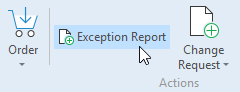
For adjusting the stock quantity via an exception report, select the stock item to be updated and click the button Exception Report.
Fast Updates
As the usage of exception reports for adjusting stock quantities after a data migration can be quite time-consuming, it's also possible to apply extended user access rights to selected users who will then be able to simply adjust stock quantities by entering the new values without using the exception report process.
The assignment of those additional temporary user access rights can be organized via your IT department.
Those additional user access rights should be removed after the initial updating of stock quantities is finish. This will assure a proper tracking of any changes in stock quantities.