Approve Hazards and Operations
When a vessel creates an extraordinary Risk Assessment, the crew can enter operations and hazards that do not yet exist in the system. These entries are marked as unapproved and stay that way until the office has looked at them. Only after approval do they become part of the regular catalog of operations and hazards.
These functions are available in the office only, and each of the two needs its own right — if a menu entry described here is missing, the right is the first thing to check.
Being told that something is waiting
The User Dashboard can point out open requests, so nobody has to look for them:
To switch them on, open the Risk Assessment module, go to Configuration > Configure User Dashboard and enable the two entries in the Risk Management section. Both are office-only. See User Dashboard for how the configuration window works.
Approving hazards
- In the Risk Assessment module, click More Actions > Manage Hazard Requests.
- Go through the list — clicking an entry shows its details.
- Tick the hazards you want to accept and click
Approve.
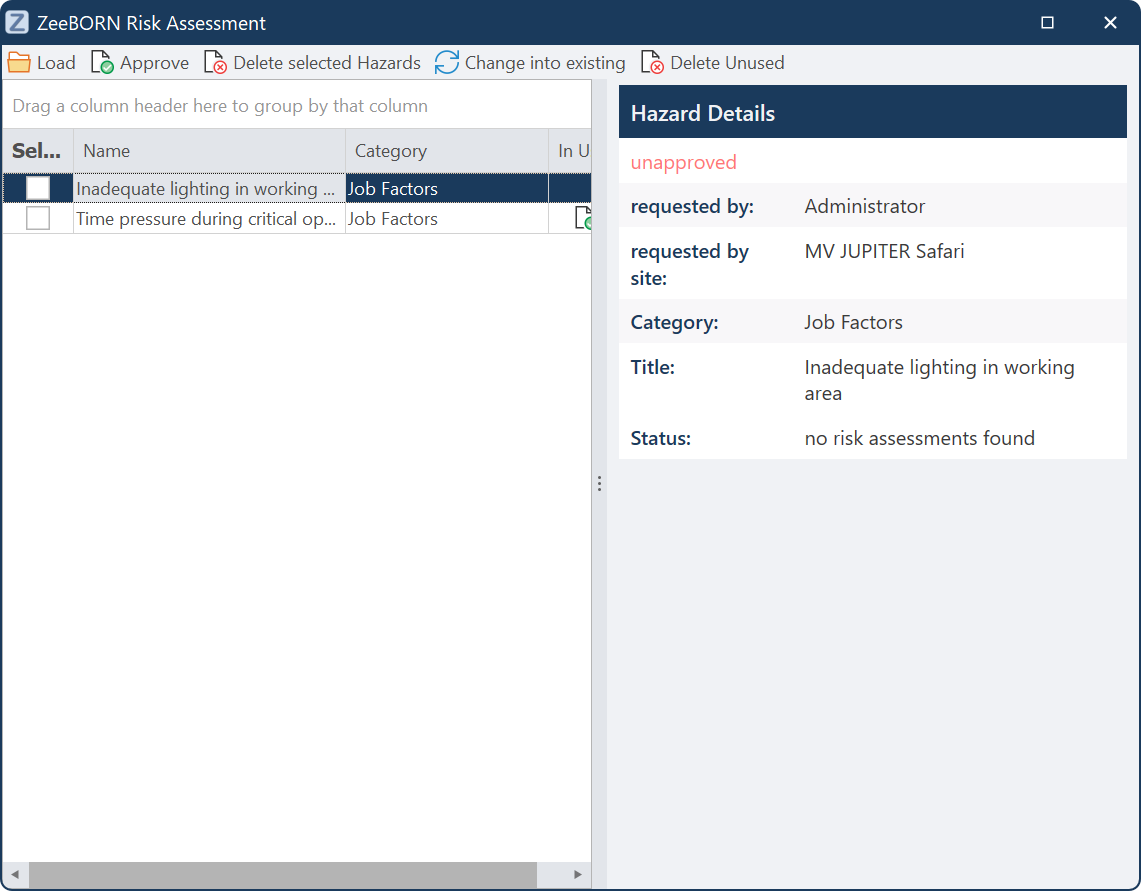
Besides approving, the same window offers:
Approving operations
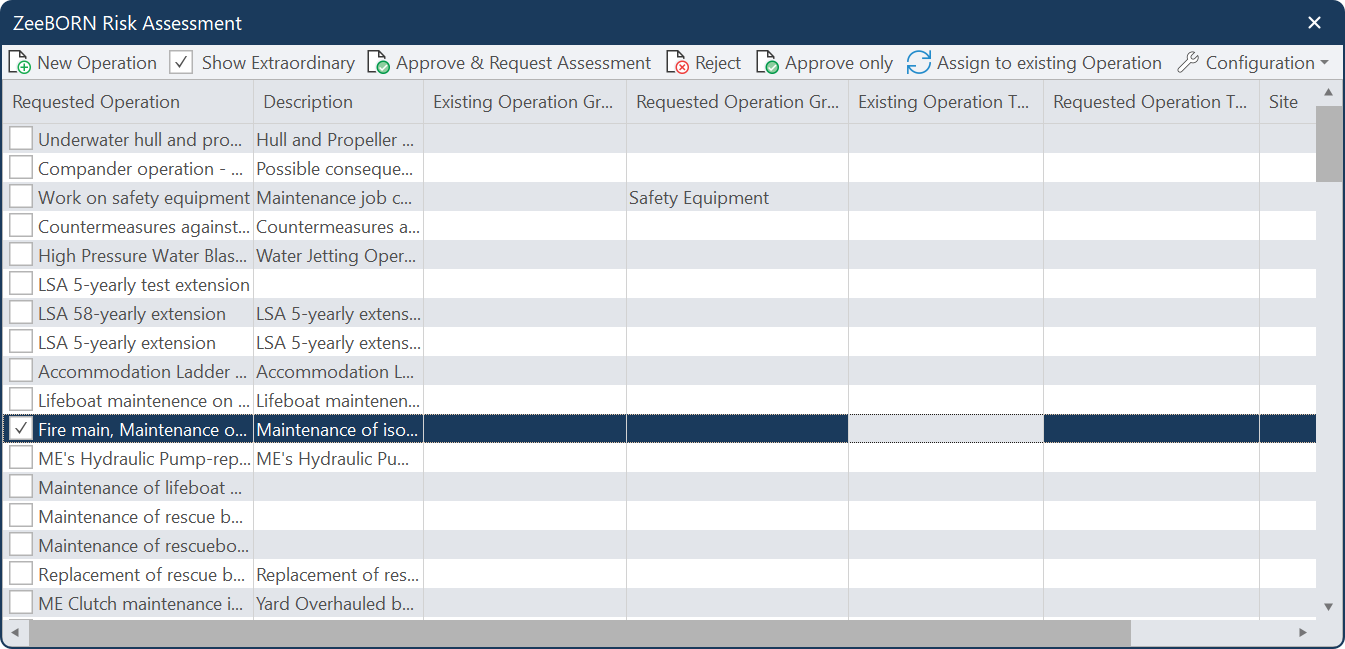
- Click More Actions > Manage Operation Requests.
- Switch on
Show Extraordinaryso that all requests are listed. - Tick the requests you want to handle and choose what should happen:
Cleaning up duplicates
Vessels sometimes request an operation that already exists under a slightly different spelling — "Passage Planning" and "Passage Planing" side by side. Such entries do not have to be rejected and typed again:
- Switch on
Show Extraordinary. - Tick all the duplicate entries.
- Click
Assign to existing Operation. - Find the correct operation, select it and confirm.
See also
The Risk Assessments that were hanging on the duplicates are moved over to the correct operation, and the duplicates disappear.