Cases
A case records a damage event and the insurances involved in it. The case itself holds what happened; each insurance affected by it is recorded underneath as a case item.
Recording a case
Click New Case in the main form, choose the vessel and the case date, and confirm. The General tab is filled in first.
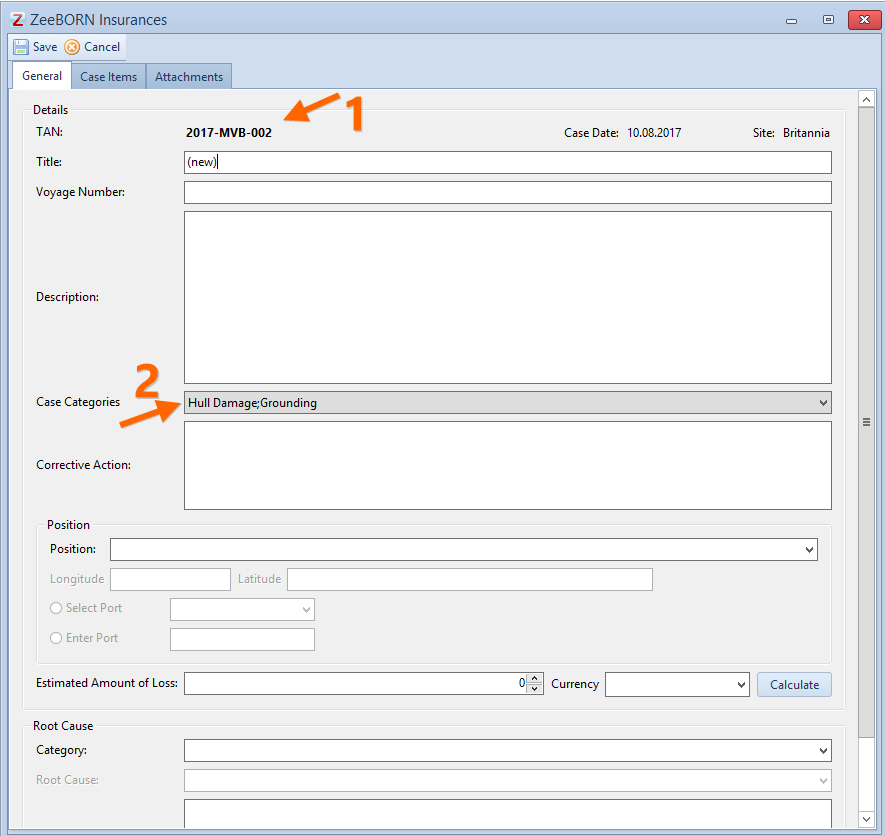
Recording the insurances involved
Switch to the CaseItems tab and click Add to choose the insurance concerned.
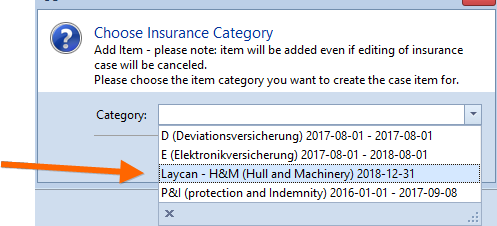
Only insurances that are active, or still within their tender period, are offered. One that is within its tender period is prefixed with Laycan.
At this point only the expected damage for that insurance is recorded. That is deliberate — the case item is the frame for the handling that follows, not the settlement itself.
How a case progresses
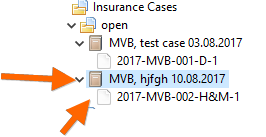
A new case and its items all start in status new, recognisable by the white sheet for the item and the brown sheet for the case.
Selecting a case item lets you give it a new status with Assign new Status. The colours of the statuses, and the icons that go with them, are set up in the configuration.
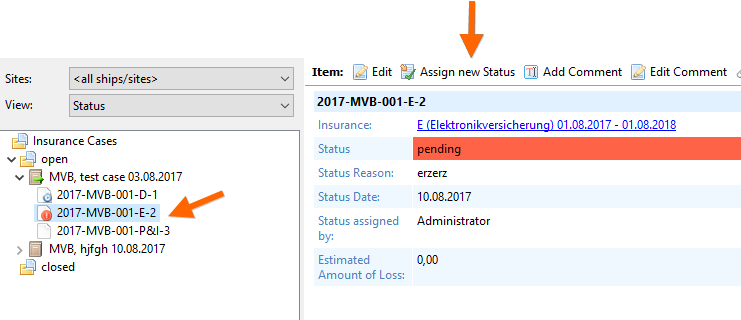
The case itself shows all its items with their current status.
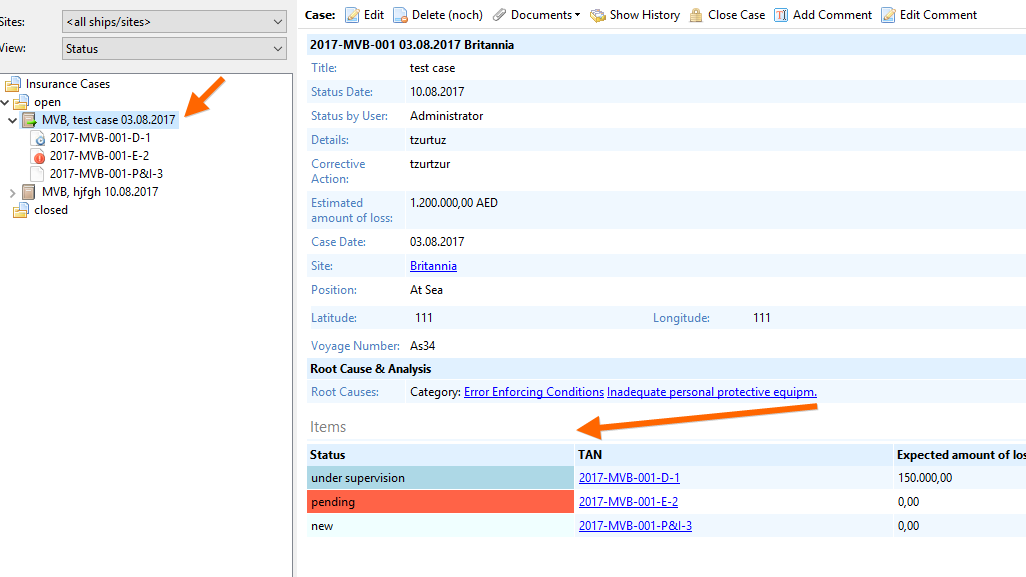
The status of the case follows from its items:
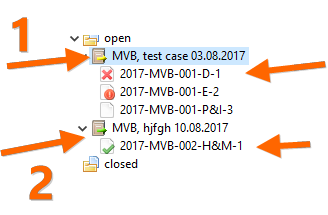
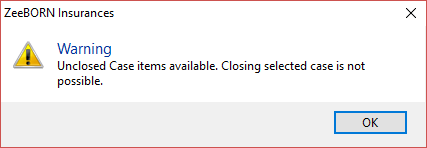
Only a case that is ready for closing can be closed. Trying it earlier gives a message saying so.
Invoices
Invoices can be recorded for every case item with Add Invoice. They are then shown with the case item.
An invoice can also be attached while editing an effected insurance: click Edit, switch to the Invoices tab, and use Add, Edit and Delete there.
The rest
Comments, reminders, attachments and history work on a case and its items exactly as they do on an insurance — see Insurances per Ship.