Lube Oil Reports
The Lube Oil module covers two areas of work. This page describes the stock side - ordering, bunkering and consumption. The analysis side - requesting oil samples, sending them to the laboratory and approving the results - is described separately:
- Analysis - the complete workflow from the sample request to the office approval
- Ship Overview - the monthly stock overview per vessel, and how to correct a negative stock
- Reports and Settings - past months report, Excel export, oil types and configuration
For the way the whole subject hangs together — from the order to the approved analysis — see the Lube Oil Workflow.
Lube Oil Ordering
The ordering is carried out via purchase orders. It can either be initiated directly from the catalog or from the purchase module.
To use catalogs directly, go to Stock > Catalogs.
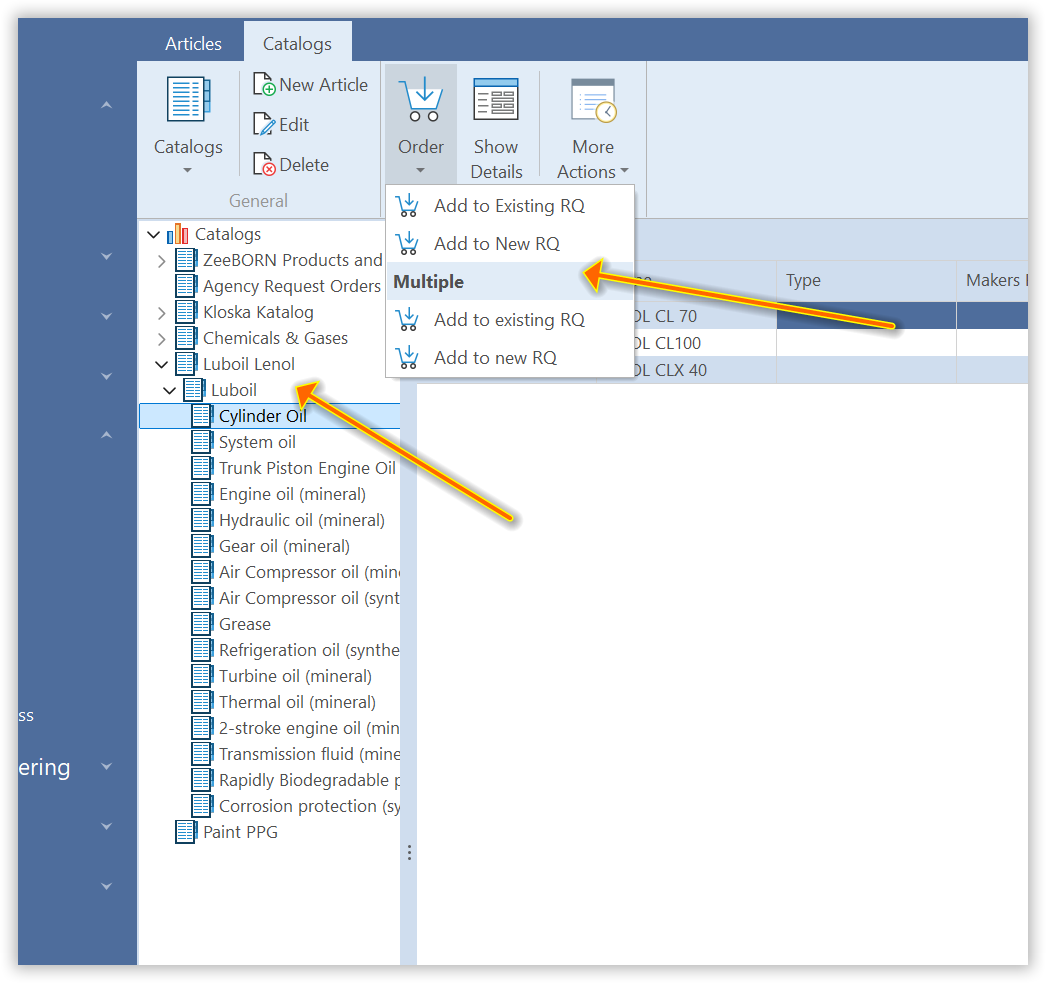
Find and confirm the desired articles.
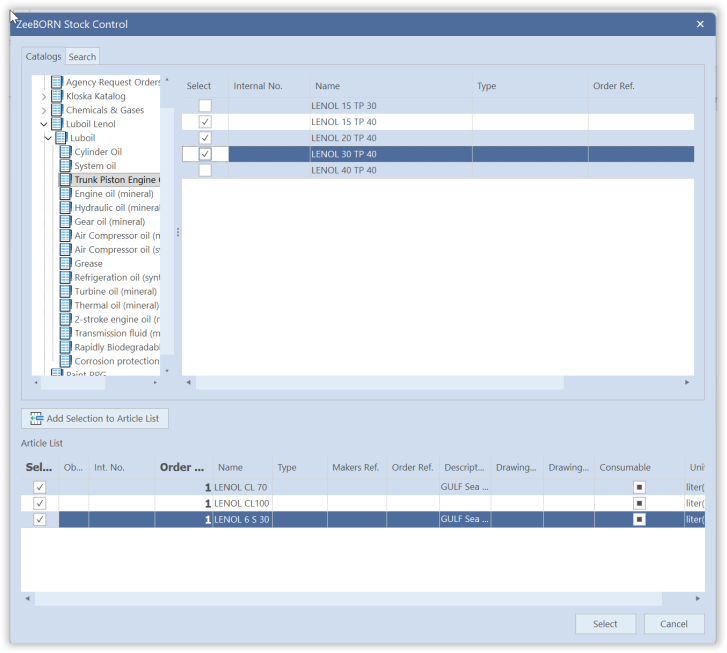
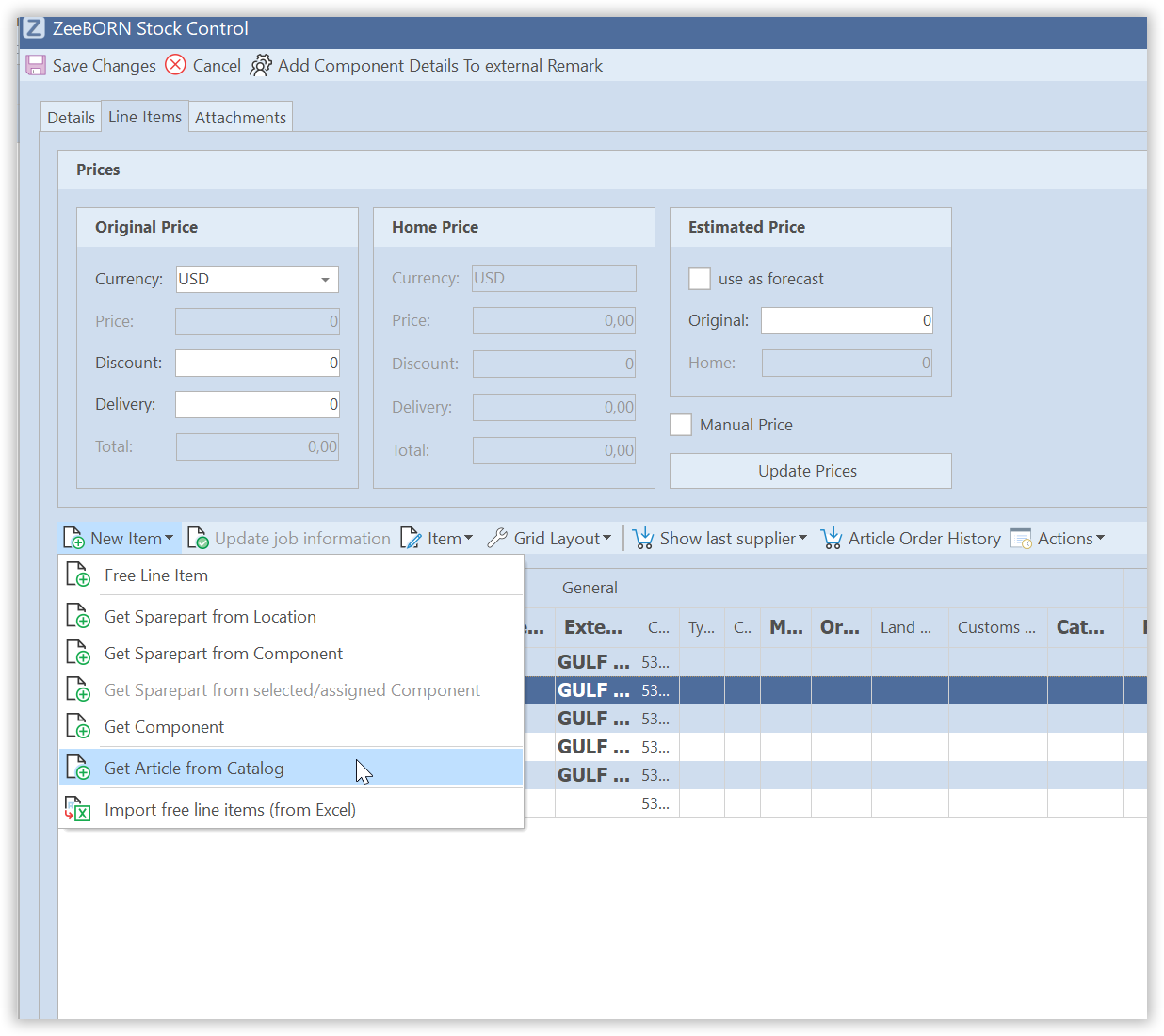
Further articles can then be added in the requisition via Get article from Catalog.
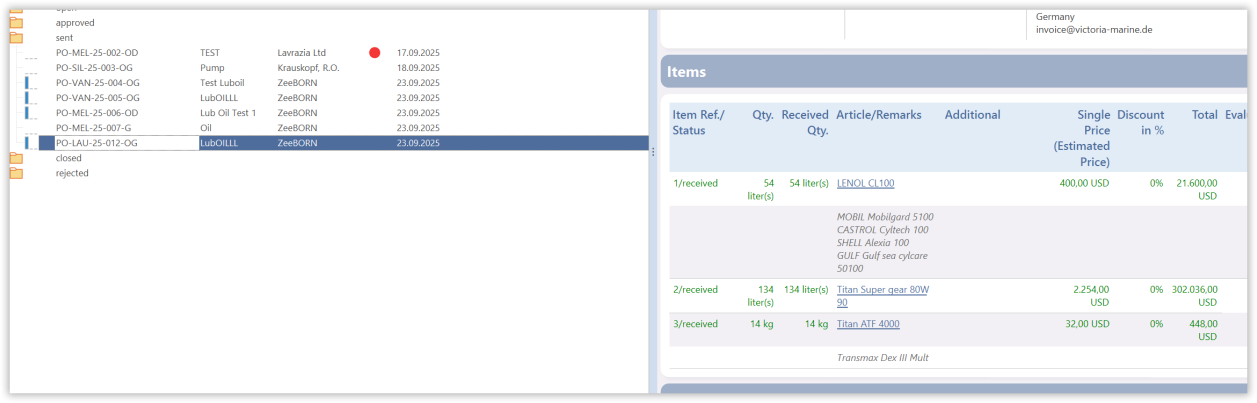
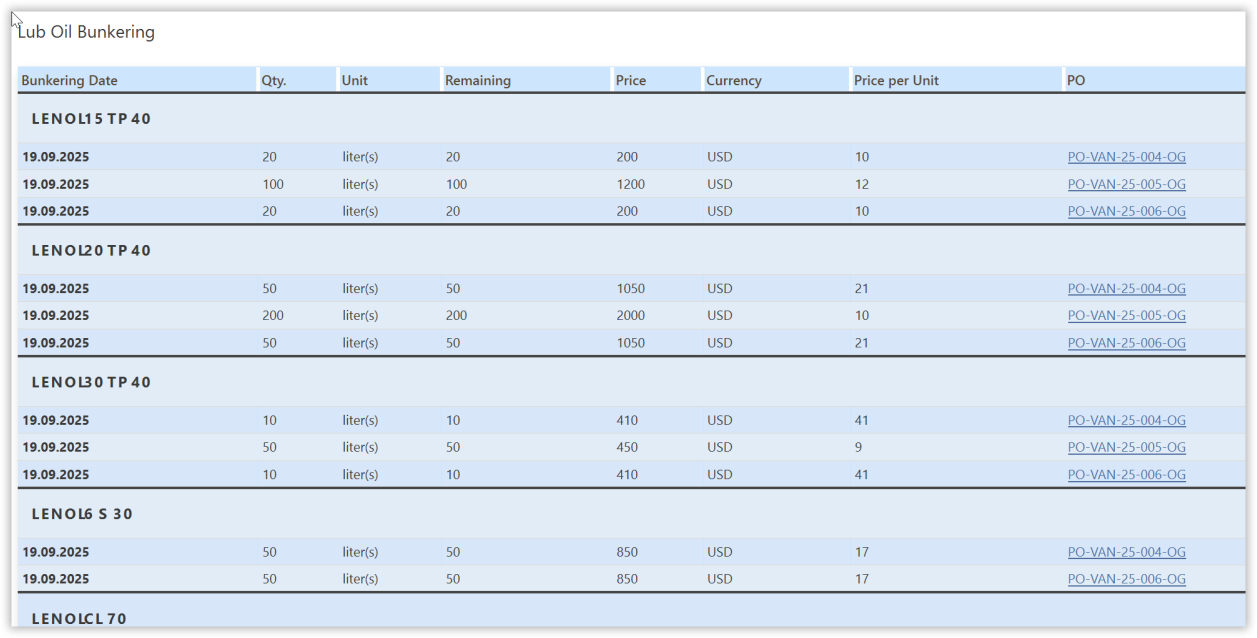
If the items of the purchase order are marked as received, the corresponding entries are written to the Lube Oil module as bunkering. This is the point where the two modules meet — a bunkering that is missing here usually means the purchase order was never marked as received.
To receive items, use Receiving/Reporting > Receive Items in the Purchase module. By default the full quantity is preselected — adjust it if necessary.
For requisitions and order handling in general, see the purchasing workflow.
Lube Oil
The entries are shown in the overview per vessel, summed up where several purchase orders contributed.
They are also listed individually in the bunkering overview, where each entry carries the link to the purchase order it came from.
Consumption
The consumption is entered in the Lube Oil module.
From the bunkerings and the consumption, the remaining quantity on board and the current price are calculated.
A complete overview is available as well.