Lube Oil Consumption
What has been used is recorded in the Lube Oil module. Bunkerings come in by themselves when a purchase order is received. Consumption does not: it is entered by hand.
Entering consumption
Lube Oil > Overview > select your ship > Consumption
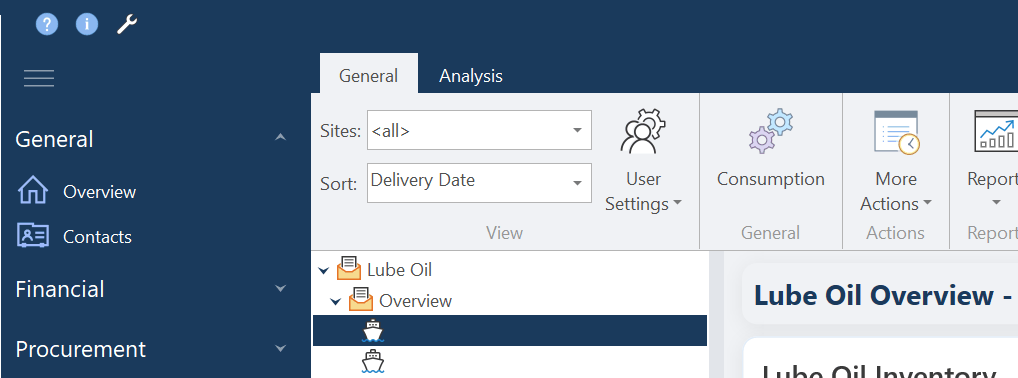
- In Lube Oil > Overview, select your ship in the tree.
- Click
Consumption. The dialog lists the oils on board, each with its ROB. - For each oil you have used, enter the Consumption Date and the Consumption.
- Click
Saveand confirm the question.
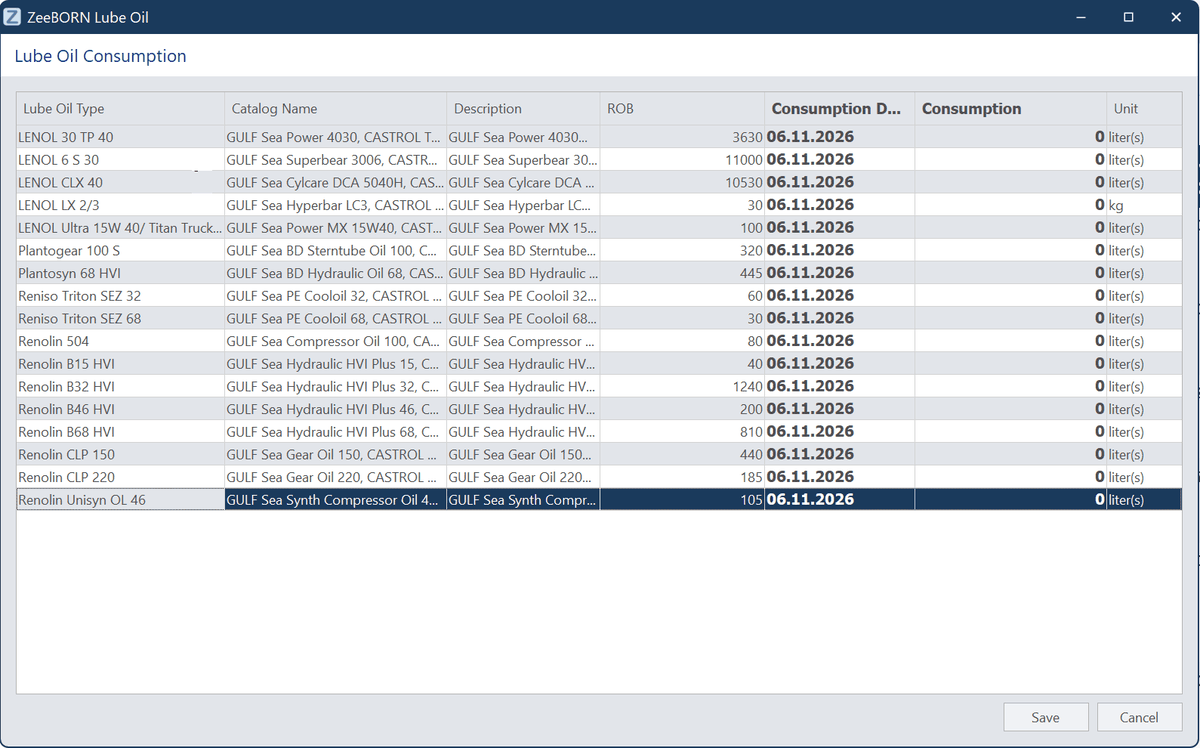
Lines with 0 are not saved
Only lines with a consumption above 0 are saved. Leave the oils you have not used at 0.
The remaining stock is reduced as soon as you have saved.
Select the ship first
Consumption only works on a selected ship. With nothing selected in the tree, the button does nothing at all - no message, no window. If a click seems to have no effect, this is why.
What the figures are used for
From the bunkerings and the consumption, the remaining quantity on board and the current price are calculated. Both are shown in the overview per vessel, and a complete overview of all entries is available as well.
The figures only match while both sides are kept up to date, so please record consumption regularly.